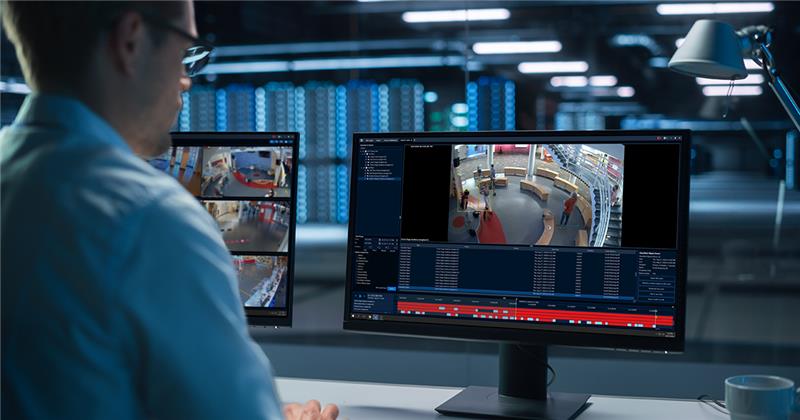
Having the right CCTV system is a great start—but without active monitoring, it’s just recording incidents, not preventing them. If you’ve invested in Avigilon, you already have one of the most advanced surveillance systems on the market. Now’s the time to unlock its full potential through online (remote) monitoring.
At Safer Community Security, we help Perth businesses get more from their Avigilon systems—through 24/7 monitoring, smart analytics, and fast incident response.
What Makes Avigilon Ideal for Online Security Monitoring?
Avigilon’s high-resolution cameras and AI-powered video analytics make it a perfect match for remote monitoring services. Instead of manually watching every feed, the system detects unusual events—then alerts trained operators who can respond in real time.
Key capabilities include:
• Appearance Search™ – quickly locate individuals across multiple cameras
• Unusual Motion Detection (UMD) – alerts for unexpected movement patterns
• License Plate Recognition – ideal for carpark and perimeter control
• Self-learning Video Analytics – reduces false alarms over time
• Remote video access – view live or recorded footage from anywhere
Tip: If your Avigilon system is already installed, integrating it with a 24/7 monitoring centre is simpler and more cost-effective than most upgrades.
Common Gaps in Unmonitored Avigilon Systems
Even with world-class hardware, many systems fall short when left unmonitored. During our Avigilon audits, we often find:
• Cameras active—but no one watching after-hours
• Analytics not configured—leaving smart detection unused
• No remote access set up—forcing manual footage review
• No real-time response—alarms triggered but ignored
• Outdated firmware—missing key security enhancements
These gaps can turn a high-end system into a passive one—and leave your property vulnerable.
How to Enhance Your Avigilon System with Remote Monitoring
You don’t need new cameras—you just need to connect smarter. Here’s how we help WA businesses upgrade their protection:
- System Review & Optimisation
We assess your current Avigilon setup—camera placement, analytics configuration, storage, and access. - Monitoring Integration
We connect your system to our 24/7 Grade A control room—where trained operators receive alerts and respond in real time. - Virtual Patrol Scheduling
Need site checks overnight or during downtime? We can conduct remote patrols at scheduled intervals using your existing feeds. - Live Intervention Capabilities
We can enable live audio warnings through Avigilon’s integration with PA systems or speakers—stopping intruders before damage occurs.
Fun Fact: Avigilon + Remote Monitoring = Better ROI
Did you know?
• Avigilon analytics reduce operator fatigue by up to 70%
• Monitored systems respond faster than most on-site guards
• Upgraded monitoring can extend the lifespan of your existing Avigilon investment
• Properly configured systems qualify for insurance and council compliance benefits
Avigilon Monitoring Checklist
Before going live with remote monitoring, check the following:
| Area | What to Check |
|---|---|
| Camera Positioning | Are all key access points, perimeters, and assets covered? |
| Analytics Configuration | Are UMD, LPR, and Appearance Search™ activated? |
| Recording & Storage | Is footage stored for the required duration? |
| Remote Access | Can operators and management securely view footage offsite? |
| Monitoring Centre Link | Is the system connected to a licensed control room? |
Make the Most of Your Investment
If you’re running Avigilon without online monitoring, you’re only using half the system’s potential. With a few simple integrations, you can add rapid response, reduce risk, and gain 24/7 peace of mind.
Contact Safer Community Security to schedule your free Avigilon optimisation audit—or to connect your site to our live monitoring team today.
sales@safercommunity.com.au
Follow us on LinkedIn